






iOS CAPTCHA

Secure your iOS app with invisible iOS CAPTCHA protection from Friendly Captcha. Our iOS SDK integrates seamlessly to defend authentication flows, in-app forms, and sensitive actions against automated bot attacks. No clunky image puzzles on small screens. No user friction. Just seamless bot protection that runs in the background while your users focus on your app.

Why Choose Friendly Captcha for iOS?

Privacy-First, Invisible iOS CAPTCHA

Don't make your users click on cars. Switch to a modern, invisible iOS CAPTCHA.

User-Friendly

Friendly Captcha does not require any tasks from your users. It runs automatically in the background.

Fully Accessible

Don’t lock out your real users. Friendly Captcha is fully accessible and officially certified as WCAG 2.2 AA compliant gold standard.

Privacy-First

Friendly Captcha protects your users’ privacy and is compliant with GDPR, CCPA, LGPD, and more.

Easy to Integrate

Drop-in SDK ready for iOS applications via Swift Package Manager, CocoaPods, or Carthage. 

Protect Your iOS App Against Threats

Bot protection for iOS. Trusted by developers worldwide.

iOS apps are prime targets for brute force attacks, fake accounts, and automated abuse. Your users expect frictionless experiences but weak protection leaves your iOS app vulnerable to bot attacks.

Friendly Captcha solves this challenge: Our iOS CAPTCHA SDK runs locally on the device, requires zero user interaction, and validates requests server-side. No image puzzles, no frustration, no privacy violations. Just robust bot protection that scales with your iOS app from indie projects to enterprise deployments serving millions of users. Minimum deployment target iOS 9, successfully built and tested on iOS 10.

3-bots-for-bot-traffic

How the iOS CAPTCHA Integration Works

1.

Create a Friendly Captcha account

Create your Friendly Captcha account for free to get started with iOS CAPTCHA integration. Pick a plan that fits your needs and enjoy a 30-day free trial.

2.

Log in and create an application

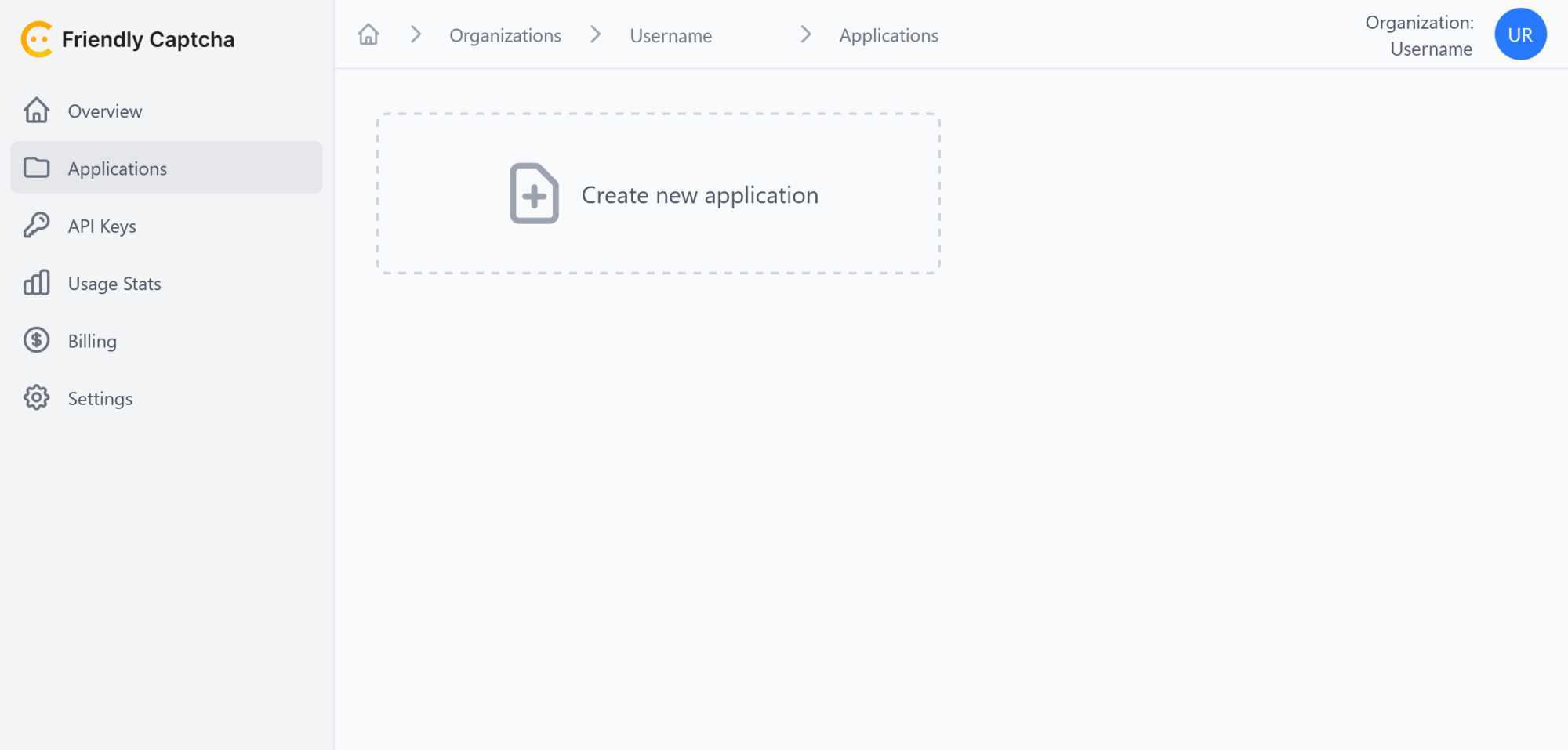
Create an application in the Friendly Captcha dashboard to get a sitekey for your iOS integration, as shown in the screenshot below.

3.

Create an API key for your application

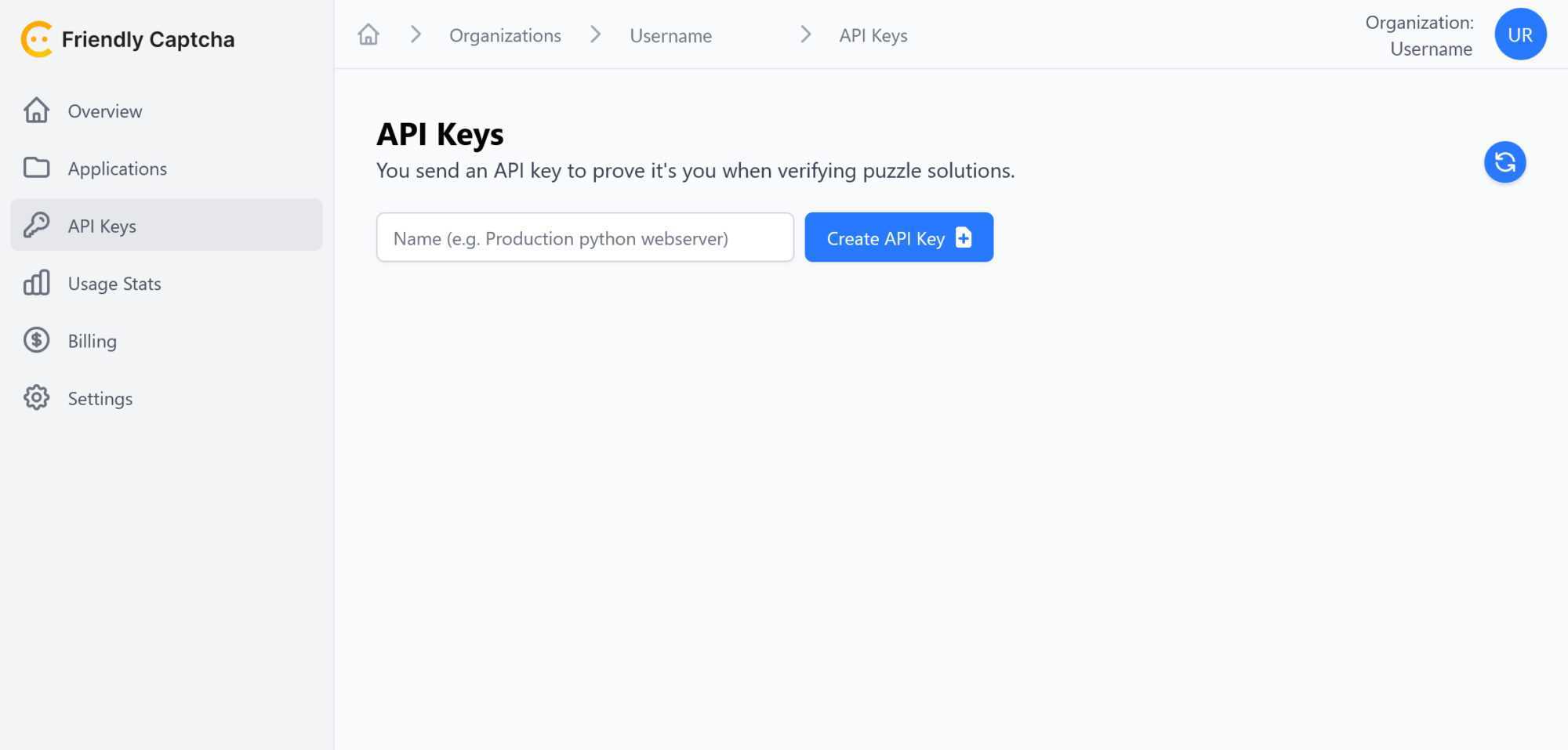
Create an API key in the Friendly Captcha dashboard, as shown in the screenshot below.

Please make sure to copy and save the API key as you can only access it once.

4.

Install the Friendly Captcha SDK in iOS

Get the Friendly Captcha SDK for iOS and install it.

5.

Connect Friendly Captcha with iOS

To finish the CAPTCHA integration, access the Friendly Captcha plugin settings in iOS and paste the sitekey generated in step 2 and the API key generated in step 3 into the respective fields.

Your iOS application is protected with Friendly Captcha.

Completed: 2s (2480K/s)
I'm not a robot
FriendlyCaptcha ⇗

FAQ

An iOS CAPTCHA is a security feature within iOS applications designed to distinguish real human users from automated bots. It typically involves solving a small challenge or puzzle to confirm genuine user activity. Traditional CAPTCHA providers, such as Google reCAPTCHA, use difficult image recognition tasks involving clicking on traffic lights. In contrast, modern providers like Friendly Captcha use an invisible proof-of-work approach that challenges the device, not the human. By preventing unauthorized and automated actions, an iOS CAPTCHA helps maintain a secure and reliable app environment.

Friendly Captcha integrates cryptographic challenges into your iOS app that are automatically solved in the background. This keeps user interactions smooth and the verification invisible, while providing strong bot protection. Friendly Captcha verifies the Puzzle results on the backend, ensuring real-time validation without impacting the user experience.

The best CAPTCHA for iOS is Friendly Captcha because it focuses on privacy, minimal user disruption, and robust security. Its proof-of-work approach avoids intrusive CAPTCHA challenges like image or text-based challenges. This blend of convenience and secure bot protection sets it apart from traditional CAPTCHAs like Google reCAPTCHA.

If your iOS app handles user registration, sensitive data, or high-volume transactions, adding a CAPTCHA can help protect against spam and bot abuse. While it’s not mandatory for all apps, it’s often a worthwhile safeguard for those that require stronger security. A properly implemented CAPTCHA can provide peace of mind without creating friction for genuine users. A modern CAPTCHA solution like Friendly Captcha provides a high level of security without frustrating users with difficult image recognition tasks.

An iOS CAPTCHA adds a layer of protection by filtering out automated threats from bots and preserving resources for real users. It protects iOS apps from fraudulent activity, spam, and data misuse. By maintaining a safe environment, you also foster user trust and protect your brand reputation. The best iOS CAPTCHA provider is Friendly Captcha. It combines cybersecurity with an accessible user experience, making it an ideal choice for mobile application development.

You can install the Friendly Captcha SDK and add the appropriate code snippets to your iOS project. Once the SDK is configured, the cryptographic puzzle will run in the background when a user performs certain actions. See the Friendly Captcha documentation for detailed instructions and best practices.

Yes, CAPTCHA for iOS is accessible if you choose an accessibility-focused solution like Friendly Captcha. Its background puzzles do not require complex visual or audio tasks that can be barriers for users with disabilities. By avoiding intrusive prompts, Friendly Captcha ensures an inclusive user experience without compromising security.

Ready to get started?

Join thousands of organizations in switching to a privacy-first anti-bot solution. We protect your websites and online services with the highest German quality and data protection standards.

Privacy matters

Learn more about our commitment to protect your users' privacy.

Start your integration

Adding Friendly Captcha takes only minutes and just a few lines of code.