
5 types – not all are equal
There are 5 main types of CAPTCHA in use today, and they differ significantly in terms of security, usability, accessibility, and privacy compliance.
Traditional CAPTCHAs are outdated
Text, image, and audio CAPTCHAs are increasingly easy for AI-powered bots to bypass – and create real barriers for human users with disabilities.
Invisible CAPTCHAs come at the cost of privacy
Signal-based CAPTCHAs remove visible challenges but rely on behavioral tracking, creating serious privacy and GDPR compliance risks.
Proof-of-Work CAPTCHA ticks every box
PoW CAPTCHAs like Friendly Captcha are secure, invisible, accessible, and GDPR-compliant. It is the only CAPTCHA type that delivers without compromise. Try Friendly Captcha ›
There are 5 CAPTCHA types: text-based CAPTCHA, image CAPTCHA, audio CAPTCHA, signal-based (invisible) CAPTCHA, and Proof-of-Work CAPTCHA. We all know the older challenges – selecting traffic lights, solving tricky math problems, or deciphering distorted text – but CAPTCHA technology has moved far beyond those traditional CAPTCHA systems.
Each CAPTCHA type solves bot protection differently, with clear trade-offs in security, usability, accessibility, and privacy compliance. For any organization with moderate to high web traffic, the choice of CAPTCHA type has real consequences. Outdated CAPTCHAs are easy for AI-powered, malicious bots to bypass and often create unnecessary friction for human users at the same time.
In this article, we’ll break down how each of the five CAPTCHA types works, where each is effective, and where each falls short under modern requirements such as GDPR compliance and inclusive user experience. You’ll also see how to choose the right CAPTCHA and bot management strategy for your website, and why Friendly Captcha’s Proof-of-Work approach stands out as a future-proof option for teams that need strong security without sacrificing privacy or accessibility.
Text-Based CAPTCHA
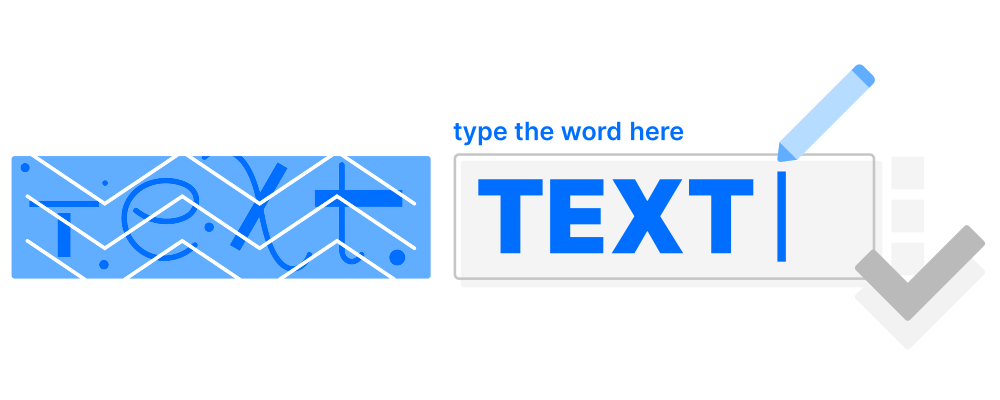
The text-based CAPTCHA is the original form of bot protection and has been in use since the early days of the web. It challenges users to identify and type characters that are displayed in a distorted or obscured image – making it harder for automated scripts to read them.
The distortion is achieved by warping, scaling, or rotating characters, sometimes with graphic overlays such as lines, arcs, or dots. While this approach once provided basic security, both its effectiveness and usability have significantly declined.
Common Forms
Distorted letters/numbers: Users type characters shown in images with distorted or overlapping letters – the classic CAPTCHA format, popularized by Google reCAPTCHA v1.
Logical text puzzles: Questions like “What is the third word in this sentence?” that may ask users to fill in a missing word or solve simple word problems.
Word recognition: Entering words shown in stylized fonts that can involve overlapping characters.
Strengths
Simple to deploy: Easy for developers to add to any form with minimal code.
Lightweight: Requires minimal bandwidth and no advanced processing power.
Long history of use: Familiar to both businesses and end-users; well-documented in the developer ecosystem.
Weaknesses
AI vulnerability: Modern bots using AI – including optical character recognition – solve text-based CAPTCHAs reliably and at scale. Even input randomized character prompts are no longer a reliable barrier for advanced scripts.
Accessibility barriers: Particularly difficult for users with dyslexia, visually impaired users, or cognitive impaired users, leading to a high false positive rate among real users.
Poor user experience: The traditional CAPTCHA test experience is often frustrating even for users without disabilities, increasing drop-off rates.
Best For
Legacy systems or long-established services that prioritize stability and continuity over innovation. Not recommended for modern web applications or any platform with significant traffic or data protection requirements.

Image CAPTCHA
Image CAPTCHAs, or visual CAPTCHAs, replace distorted text with visual puzzles – typically asking users to identify objects across a grid of photos. They were introduced as a more user-friendly successor to text-based CAPTCHAs, relying on the human brain’s ability to recognize and categorize visual scenes.
Well-known implementations include Google reCAPTCHA v2 and hCaptcha, both of which remain widely deployed despite ongoing criticism regarding accessibility and data privacy.
Common Forms
Grid-based puzzles: “Select all squares containing traffic lights / crosswalks / buses” – the format made famous by Google reCAPTCHA v2.
Single-image selection: Clicking the one image that matches a given description (e.g., “Click the cat”).
Object-in-scene tasks: Identifying a specific object within a single photograph rather than a grid.
Strengths
Widely recognized: The grid format is familiar to billions of users worldwide.
Easy to deploy: Free and open-source implementations are widely available.
More intuitive than text-based: Visual pattern recognition feels natural to most users — at least initially.
Weaknesses
Frustrating UX: Multi-step image grids are a CAPTCHA test that often triggers repeated rounds, increasing abandonment.
Accessibility barriers: Unusable for visually impaired users without an audio fallback; incompatible with many screen readers.
Declining security: Image CAPTCHAs were designed around tasks where malicious bots struggle to identify objects in ambiguous scenes, but AI-driven image recognition can now solve these challenges with near-human accuracy.
Privacy and GDPR concerns: Google reCAPTCHA v2 transmits behavioral and device data to US-based servers, creating compliance risks for organizations subject to GDPR.
Best For
Small websites or online communities that need a simple, recognizable solution and operate without strict data protection requirements. Not suitable for organizations processing personal data under GDPR or targeting EU users.
Audio CAPTCHA
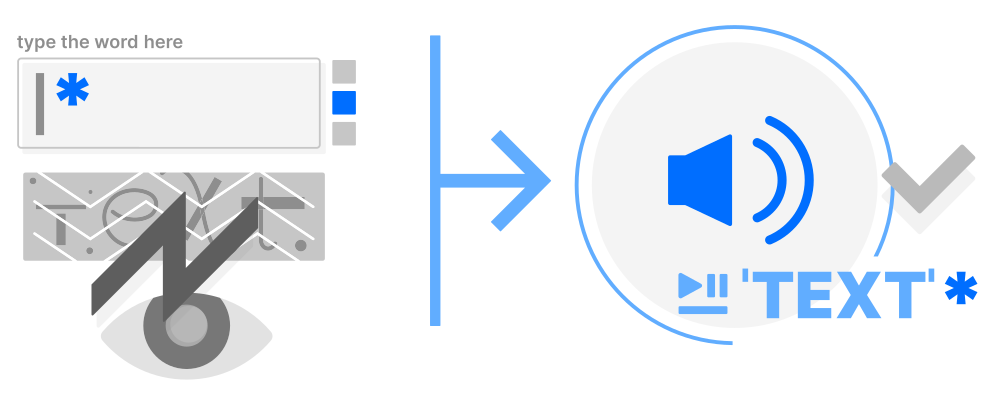
Audio CAPTCHAs were introduced as an accessibility fallback for users who cannot complete visual challenges – primarily people with visual impairments. They play a recording of spoken characters or words that the user must transcribe correctly.
In practice, audio CAPTCHAs fail on both fronts. They are routinely solved by speech recognition algorithms, and the distorted audio creates barriers for the very users they were meant to help.
Common Forms
Letter/number sequences: A recording of spoken characters mixed with background noise that the user must transcribe; these CAPTCHAs rely on bots failing to recognize the relevant characters through the noise.
Distorted speech: Audio with added echo, speed variation, or overlapping voices to hinder bot transcription.
Word dictation: Full words, short phrases, or in some variants short words read aloud that the user must enter into a text field.
Strengths
Accessibility fallback: The primary alternative for visually impaired users who cannot complete visual challenges.
No visual requirements: Can be used without a display or in eyes-free contexts.
Low incremental cost: Often bundled with existing CAPTCHA solutions as an add-on option.
Weaknesses
Easily solved by bots: Modern speech recognition APIs reliably decode audio CAPTCHAs, even with added noise.
Language barriers: Challenges are typically only available in English, excluding non-English-speaking users.
Poor UX: Distorted audio is frustrating for users with hearing impairments, cognitive disabilities, or those in noisy environments.
High cognitive load: Requires sustained attention and accurate transcription – a significant barrier for many users with disabilities.
Best For
A last-resort accessibility fallback alongside visual CAPTCHAs. However, due to its security and usability limitations, organizations are strongly advised to consider barrier-free alternatives, such as Proof-of-Work CAPTCHAs instead.
Signal-Based (Invisible) CAPTCHA
Signal-based CAPTCHAs – often referred to as invisible CAPTCHAs – verify users by analyzing behavioral and environmental signals in the background rather than presenting an explicit challenge. Cookies, mouse movements, device fingerprints, and session patterns are evaluated to identify real users from automated traffic.
If the background analysis fails, a secondary challenge such as an image CAPTCHA is typically triggered. Google reCAPTCHA v3 is the most widely used example of this approach.
Common Forms
Risk scoring systems: Solutions like Google reCAPTCHA v3 use a form of adaptive CAPTCHA, assigning a probability score based on behavioral signals. reCAPTCHA v3 changes friction based on risk instead of showing every visitor the same challenge.
Browser and environment checks: Validating TLS fingerprints, session cookies, and device characteristics in order to distinguish bots from humans.
Behavioral tracking: Monitoring mouse movement, scroll patterns, click timing, and interaction sequences across the session.
Strengths
Frictionless UX: Legitimate users typically experience no visible challenge at all.
Improved conversion rates: Reduces abandonment at critical touchpoints such as checkout or account creation.
Scalable: Handles large traffic volumes without adding measurable latency for users.
Weaknesses
High false positive rate for users with disabilities: Visually impaired users, who rely on assistive technologies or interact in non-standard ways, are frequently misclassified as bots. Signal-based CAPTCHA mechanisms score behavior against a norm. Any deviation, even if legitimate, can trigger a false positive.
Significant privacy concerns: Relies on continuous behavioral tracking and cross-site data collection, raising serious GDPR and CCPA compliance issues.
Opaque scoring: Organizations often cannot determine why specific users are blocked, making it difficult to address wrongful rejections.
EU data sovereignty risks: Major providers, such as Google reCAPTCHA v3, transfer user data to servers outside the EU, which may violate GDPR requirements. Check your website with the Friendly Captcha Sovereignty Checker.
Best For
E-commerce platforms or SaaS products where seamless UX and conversion rates are the top priority. Use a signal-based CAPTCHA where data protection obligations and the risk of excluding users with disabilities are acceptable trade-offs.

Proof-of-Work CAPTCHA
A Proof-of-Work CAPTCHA uses a cryptographic puzzle that is solved silently by the user’s device, requiring no manual interaction whatsoever. While the user fills out a form, the modern CAPTCHA runs entirely in the background and completes the challenge within seconds.
Modern CAPTCHA technologies like Friendly Captcha also evaluate advanced risk signals. Friendly Captcha dynamically adjustss puzzle difficulty based on real-time threat assessment, combining strong security with a completely seamless user experience.
Common Forms
Cryptographic background puzzles: The user’s device silently solves a computational challenge while the user interacts with a form – no input required.
Risk-adaptive PoW: where As one of the newer CAPTCHA methods, it evolved in response to increasingly sophisticated automation and changing attack patterns, dynamically scaling puzzle difficulty in real time based on risk assessment signals such as IP reputation and request patterns.
Hybrid verification: Combines the cryptographic puzzle with passive signal analysis (e.g., request metadata, session context) for additional accuracy, without additional user friction.
Strengths
Completely invisible: No challenges, no interruptions, no cognitive load.. Users never notice proof-of-work CAPTCHAs.Users never notice Proof-of-Work CAPTCHAs systems.
Accessible by design: Requires no visual, audio, or manual interaction, making it inherently WCAG compliant and usable by everyone.
Fully GDPR and CCPA compliant: No personal data, no behavioral tracking cookies, and no cross-site data collection required.
AI- and bot-resistant: The computational cost of solving puzzles at scale makes automated attacks economically impractical, including for advanced bots and sophisticated scripts.
EU data sovereignty: Friendly Captcha operates dedicated data centers in the EU, ensuring that data never leaves European jurisdiction for websites that need that prerequisite.
Weaknesses
Device dependency: On very old or resource-constrained hardware, solving the cryptographic puzzle may introduce a short delay of one to two seconds.
Requires JavaScript: The widget relies on client-side JavaScript. Environments with JS disabled require a fallback strategy.
Integration effort: Implementation requires embedding a JavaScript widget and verifying the solution token on the server side, making it slightly more involved than a simple HTML form field.
Best For
Any organization with serious security and data protection requirements: enterprises, public sector bodies, healthcare providers, financial services, e-commerce platforms, and any business operating under GDPR, CCPA, or similar privacy regulations. The Proof-of-Work CAPTCHA type is also the ideal choice for organizations that must meet accessibility standards such as WCAG 2.2 or the European Accessibility Act (EAA).
CAPTCHA Comparison Table: Security, UX, Privacy & Accessibility
| CAPTCHA Type | Security | User Experience | Privacy Compliance | Accessibility | Integration Effort |
|---|---|---|---|---|---|
|
Text-based |
Low |
Low |
✅ Yes |
❌ No |
Easy |
|
Image |
Low |
Low |
❌ No |
❌ No |
Easy |
|
Audio |
Very low |
Low |
✅ Yes |
⚠️ Limited |
Easy |
|
Invisible |
Medium |
High |
❌ No |
⚠️ Limited |
Complex with risk score definition |
|
High |
High |
✅ Yes |
✅ Yes |
Easy to Medium |
A few observations stand out:
Security and UX rarely go hand in hand – except with Proof-of-Work, which delivers both without compromise.
GDPR compliance eliminates most mainstream options for EU-based organizations. Image CAPTCHAs (Google reCAPTCHA v2) and Signal-Based CAPTCHAs (Google reCAPTCHA v3) both route data to US servers, making them problematic under GDPR.
Accessibility is the blind spot of old CAPTCHA types. Audio CAPTCHAs, text-based CAPTCHAs, or image-based CAPTCHAs all create significant barriers for users with disabilities – a growing legal concern under the European Accessibility Act (EAA), which came into force in June 2025.
Proof-of-Work is the only modern CAPTCHA type that scores positively across all five dimensions, making it the default recommendation for organizations that cannot compromise on security, privacy, or inclusivity.
How to Choose the Right CAPTCHA Type
Each of the five CAPTCHA types has its ideal scenarios:
Text-Based CAPTCHA: Text-based CAPTCHAs are still found in legacy systems and long-established government services, where stability and backward compatibility are the primary concerns.
Image CAPTCHA: Suitable for small websites or hobby projects that need a recognizable, easy-to-deploy solution and operate without GDPR obligations.
Audio CAPTCHA: Primarily useful as an accessibility fallback alongside visual CAPTCHAs. Audio CAPTCHA cannot be a standalone solution.
Signal-Based (Invisible) CAPTCHA: A viable option for e-commerce or SaaS platforms where frictionless UX and conversion rates are the top priority, as long as data protection trade-offs are acceptable.
Proof-of-Work CAPTCHA: The right choice for any organization that cannot compromise on security, privacy, or accessibility – including enterprises, public sector bodies, and businesses operating under GDPR.
Choose Friendly Captcha as a Modern CAPTCHA Type
For most modern organizations, however, the challenge goes beyond simply picking a type. Cyber threats evolve continuously, and businesses must ensure their CAPTCHA solution can adapt to changing attack patterns without creating new friction for legitimate users – or new risks for their compliance teams.
This is where Friendly Captcha stands out. Rather than forcing a trade-off between security, usability, and privacy, Friendly Captcha’s Proof-of-Work approach delivers all three simultaneously. Friendly Captcha’s new CAPTCHA technology allows organizations to:
Protect every user flow from login and registration to checkout and password recovery with a single, consistent solution.
Stay ahead of evolving bot tactics without relying on user interaction or behavioral data that could raise compliance concerns.
Meet accessibility and data protection requirements out of the box, with no additional configuration needed.
Conclusion
In 2026, CAPTCHA is still essential. But choosing the right type matters more than ever. Text-based, image, and audio CAPTCHAs are losing ground to AI-powered bots while creating real barriers for legitimate users. Signal-based solutions enhance the user experience, but they also present privacy concerns that are becoming harder to accept in accordance with GDPR regulations.
For enterprises that need CAPTCHA security, compliance, and accessibility without compromise, Proof-of-Work is the clear answer. Friendly Captcha delivers all three: invisibly, out of the box, and hosted entirely within the EU.
Start protecting your website today and try Friendly Captcha for free.
FAQ
There are five main types of CAPTCHA in use today. CAPTCHA stands for Completely Automated Public Turing Test to tell computers and humans apart. The 5 main CAPTCHA types are: Text-based CAPTCHAs ask users to decipher and type distorted characters. Image CAPTCHAs present visual puzzles such as grid-based object selection. Audio CAPTCHAs play spoken characters or words that the user must transcribe. Signal-based (invisible) CAPTCHAsanalyze behavioral and device signals in the background without presenting a visible challenge. Modern Proof-of-Work CAPTCHAs such as Friendly Captcha solve a cryptographic puzzle silently on the user’s device, requiring no interaction at all. Each CAPTCHA type differs significantly in terms of security, accessibility, user experience, and privacy compliance.
Proof-of-Work CAPTCHA is the only type that is fully GDPR and CCPA compliant by design. It requires no behavioral tracking, no cookies, and no cross-site data collection. Solutions like Friendly Captcha process all data exclusively on EU servers, ensuring complete data sovereignty. Image-based and signal-based CAPTCHAs – particularly Google reCAPTCHA v2 and v3 – transmit user data to US-based servers, which creates significant compliance risks for organizations subject to GDPR.
Yes. Modern bots solve text-based CAPTCHAs reliably and image-based CAPTCHAs using optical character recognition and artificial intelligence. Even randomized character prompts – once considered harder to crack – are now handled consistently by advanced scripts, creating an ongoing arms race for CAPTCHA developers. Speech recognition APIs handle audio CAPTCHAs just as reliably. Signal-based CAPTCHAs can be bypassed by mimicking human behavioral patterns. Proof-of-Work CAPTCHAs take a fundamentally different approach: rather than testing perception, they impose a computational cost on every request. This makes large-scale automated attacks economically impractical, regardless of how sophisticated the bot is.
Yes, a Proof-of-Work CAPTCHA is the most accessible CAPTCHA type available. Since the puzzle is solved entirely in the background by the user’s device, no visual recognition, audio transcription, or manual interaction is required at any point. This makes Proof-of-Work CAPTCHAs inherently compatible with screen readers, keyboard-only navigation, and other assistive technologies. Friendly Captcha is WCAG 2.2 Level AA certified by TUV and supports compliance with the European Accessibility Act (EAA), which became enforceable in June 2025.
In most cases, the cryptographic puzzle is solved within seconds – entirely in the background while the user is filling out the form. On modern devices, users will not notice any delay at all. On older or resource-constrained hardware, the process may take slightly longer, but the user is never asked to wait or take any action. The difficulty of the puzzle adjusts dynamically based on real-time risk signals, so low-risk requests are resolved faster while suspicious traffic faces a higher computational barrier.
 English
  German
  French
  Spanish
  Italian
  Portuguese