
reCAPTCHA Enterprise – At a Glance
reCAPTCHA Enterprise provides risk assessments and configurable bot-protection features, but teams need to integrate the results and decide how to act on them. Its features include web and mobile integrations, risk scoring, configurable challenges, and analytics, with availability depending on tier and configuration.
When evaluating it, consider pricing, privacy, accessibility, implementation effort and the risk of blocking legitimate users.
Friendly Captcha Enterprise is an alternative based on proof-of-work, with no image-selection challenges and enterprise deployment options.
Evaluating reCAPTCHA Enterprise for your website or app? Here’s a comprehensive guide to reCAPTCHA Enterprise, its bot protection use case, risk assessments, features, pricing model, and key considerations for enterprise teams.
What is Google reCAPTCHA Enterprise?
Google reCAPTCHA Enterprise is Google’s paid bot-protection service for websites and applications. It assesses user interactions to help detect spam, automated attacks, credential stuffing, and account-takeover attempts. The service assigns a behavior-based risk score to help teams identify potentially risky activity. Then, they may decide how to respond, such as applying a fallback check or blocking the request.
Building on Google’s reCAPTCHA technology, reCAPTCHA Enterprise is designed for organizations with advanced security needs. Earlier CAPTCHA versions relied on distorted text or image-selection challenges – that could create accessibility and usability barriers, while unreliably stopping attackers.
Our reCAPTCHA Hub condenses all resources about Google reCAPTCHA.
Read our detailed comparison reCAPTCHA v2 vs v3 to better understand the different versions, and see our reCAPTCHA v3 guide to get a comprehensive evaluation.
Google reCAPTCHA Enterprise: Uses Cases
reCAPTCHA Enterprise uses signals from user interactions to assess whether activity is likely to be automated. Organizations can use these assessments to guide their response to potential abuse. Available features depend on the product tier and configuration.[1]
Bot detection and prevention
reCAPTCHA Enterprise produces risk scores that help teams identify automated activity, spam and abuse. Organizations use those scores to decide to allow or to block a request, or require additional verification. This verification will mostly be done manually with an interactive challenge, like clicking a “I’m not a robot” box.
See how different CAPTCHA tests work with our CAPTCHA demo!
Account takeover and fraud detection
reCAPTCHA Enterprise can help organizations identify suspicious activity in account-related workflows, such as sign-in and account creation. Teams can use assessment results to help protect against account takeover attempts and automated abuse.
Transaction fraud detection
reCAPTCHA Enterprise can assess transaction risk to help identify potential payment fraud, including carding and the use of stolen payment details. Organizations can use the results to inform their fraud-prevention or review processes.
reCAPTCHA Enterprise: How It Works
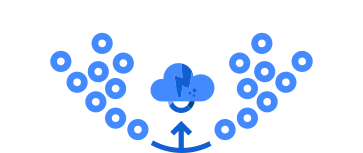
In short: reCAPTCHA Enterprise returns an assessment for a protected interaction.
The client requests a token. When a user takes a protected action, such as signing in or submitting a form, the reCAPTCHA JavaScript API or mobile SDK generates a token.
The backend requests an assessment. The server sends the token and the expected action to reCAPTCHA Enterprise.
reCAPTCHA returns an assessment. It confirms whether the token is valid and can include a risk score from 0.0 to 1.0, where higher scores indicate lower risk. The score applies to this interaction, not to the user’s overall trustworthiness.
The application decides what happens next. The action can be carried out without an additional CAPTCHA challenge; otherwise, a further verification step can be configured.
Because it relies on background signals, reCAPTCHA Enterprise can work as an invisible CAPTCHA. It collects browser, device, and interaction data, including Google cookies, to estimate whether the activity is automated. A user who appears risky may be shown an image challenge, such as selecting pictures of cars or traffic lights. These challenges are tedious, and can be difficult or impossible for people who use assistive technologies.
Google reCAPTCHA Enterprise’s Features
Google’s current documentation places reCAPTCHA within Google Cloud Fraud Defense, which has Essentials, Premium and Enterprise tiers. Features therefore depend on the selected tier and configuration.[2]
Web and mobile integration: reCAPTCHA can assess activity on websites and iOS and Android apps, and can integrate with Google Cloud Armor. It is not simply a switch that blocks bots: teams need to integrate assessments into their applications and decide how to use the results.[3]
Risk-based detection: Assessments return a score: a higher score indicates lower risk, not proof that a request is legitimate. Enterprise provides 11 score levels and advanced reason codes, but teams still need to interpret results in the context of their own traffic and risk tolerance.
Mitigation and challenges: Applications can use scores to allow requests, block them or require additional verification. Policy Engine can apply custom rules to challenges, but it needs configuration; Google’s current documentation labels its Universal-key setup as Preview.[4]
Account protection: the Account Defense section can help identify suspicious account activity and potential takeovers. It works best with broad coverage of account-related actions and requires account identifiers and event data. In that way, protection depends partly on how thoroughly it is integrated. Password and SMS-fraud defenses are also available, subject to tier and setup.
Transaction protection: Enterprise features include carding and chargeback detection. It also includes API-only transaction defense; but some protections require additional assessments.
Analytics and feedback: Dashboards, logs and global fraud reports help teams monitor activity. The Enterprise plan adds customer-specific fraud reports and attack investigation. Teams can also annotate outcomes to help refine detection, but should monitor results: Google notes that scores can vary during initial learning and between staging and production.
In short: Google reCAPTCHA Enterprise supplies risk assessments and configurable protection mechanisms; but it does not replace an organization’s own decisions about enforcement, integration or ongoing monitoring.
Comprehensive Evaluation of reCAPTCHA Enterprise
When evaluating reCAPTCHA Enterprise, it is crucial to consider more than bot detection. Privacy, security, accessibility, reliability, and user experience all matter – and the right balance depends on each organization’s needs.
Security
reCAPTCHA Enterprise is a widely-used bot protection solution[5], even if it is confronted to ever-improving bots and AI. Although more modern technologies exist today, such as proof-of-work, its technology can protect businesses if they have dedicated teams for cybersecurity.
Privacy and compliance
reCAPTCHA processes interaction signals, and Google documents that the _grecaptcha cookie remains. This fact alone doesn’t determine whether a particular implementation complies with GDPR or CCPA. Responsibility for assessing and meeting applicable legal requirements therefore rests with the teams, particularly following Google’s shift from data processor to data controller.
Read our full article on reCAPTCHA and GDPR compliance to see why data protection remains one of the most significant shortcomings of reCAPTCHA and in its Enterprise plan.
Accessibility and User Experience
Score-based reCAPTCHA assesses user interactions without displaying a CAPTCHA challenge. The website’s operator then decides how to respond to the resulting risk score, including whether to request additional verification. Invisible reCAPTCHA may present a challenge based on its risk analysis. When that challenge relies on images, it can create accessibility barriers for some users, particularly people with visual impairments or who use screen readers.
Implementation for Advanced Bot Detection
Implementing reCAPTCHA Enterprise involves more than adding a client-side script. The application must generate a token for each protected action, send it to the backend for assessment, and define how to respond to the result.[6]
Before rollout, it’s advisable to confirm that the selected tier supports the needed features and platforms. One should test how the score thresholds affect real users, decide how to handle borderline requests, and plan any additional verification.
How much does reCAPTCHA Enterprise cost?
Google’s pricing depends on the tier and assessment volume. The Enterprise tier uses a fixed monthly volume commitment of $1 per 1,000 assessments and a minimum 12-month subscription; Essentials and Premium have different billing models. Therefore, reCAPTCHA Enterprise costs can be harder to forecast because pricing is usage-based. Depending on features and support requirements, monthly costs can quickly reach four or even five figures.
For the pricing thresholds, examples, and cost-estimation details, see our Google reCAPTCHA pricing guide.
Friendly CAPTCHA Enterprise as an Alternative to reCAPTCHA Enterprise
For organizations comparing reCAPTCHA Enterprise with alternative providers, Friendly Captcha Enterprise combines invisible proof-of-work bot protection with deployment options and enterprise support.
Custom pricing: Pricing can be tailored to the organization’s requirements and scale. Look at Friendly Captcha’s plans now.
Dedicated help through evaluation and procurement: Choosing bot protection often involves technical, security, legal and procurement stakeholders. Friendly Captcha offers personal, dedicated assistance during evaluation and procurement so organizations can assess the solution and work through their requirements.
Hands-on support from Friendly Captcha’s team: Enterprise customers have access to direct assistance from the Friendly Captcha team during evaluation, deployment and troubleshooting. If suspicious bot activity affects their infrastructure, they can contact the team for guidance on reviewing the situation and considering next steps.
Privacy-conscious protection and deployment options: The proof-of-work mechanism runs invisibly for end users, without image-selection puzzles. Friendly Captcha is GDPR- and CCPA-compliant and offers EU and US endpoints, giving organizations deployment options to consider alongside their data-handling requirements.[7]
Risk intelligence feature: Risk Intelligence gives additional context about a visitor, without adding a CAPTCHA interaction. It provides risk signals relating to browser and network risk, IP characteristics such as geolocation and ASN, browser identification, and detected bot activity.[8] These signals can be used in existing security or fraud-prevention workflows – for example, to flag a higher-risk session for extra authentication or review. Risk Intelligence data can be added to Friendly Captcha verification through a separate paid add-on.[9]
Compliance and enterprise controls: Friendly Captcha holds ISO/IEC 27001:2022 certification, providing independently audited assurance around its information security management system. For organizations that need additional governance controls, the optional Compliance+ Add-On includes SSO, enhanced access control with custom roles and app groups, and audit logs-features designed to help reduce compliance effort and support internal reviews.[10]
In short, Friendly Captcha Enterprise may suit organizations evaluating proof-of-work protection, deployment options and support.
Conclusion: Choosing the Right Enterprise CAPTCHA
reCAPTCHA Enterprise offers customizable risk scoring, but its challenges can create usability and accessibility barriers, while automated decisions may block legitimate users. Its data practices, false positives, and administrative demands may also require careful consideration.
For organizations that prioritize privacy, accessibility, and a frictionless experience, Friendly Captcha Enterprise offers invisible proof-of-work protection with enterprise support, scalability and tailored deployment options (hosted, dedicated or self-hosted). Request a personalized demo to see whether it fits your organization’s needs.
FAQ
No. reCAPTCHA Enterprise and reCAPTCHA v3 are not the same. reCAPTCHA Enterprise is a Google Cloud product tier, while reCAPTCHA v3 is a version of the reCAPTCHA product. Companies choose which version to use for bot protection, and whether to look for an alternative.
Not necessarily. Its behavior depends on the key type and risk analysis configured for the site or app.
reCAPTCHA v3 Enterprise is score-based and should runs invisibly in the background. For basic activity it considers non-suspicious, it does not show visual challenges or require user interaction. It uses behavioral signals and returns a risk score from 0.0 (likely a bot) to 1.0 (likely a human), allowing the website to decide how to handle the request.
reCAPTCHA v2 Enterprise provides bot protection through a checkbox (the classic “I’m not a robot”) or image or audio challenges.
For high-volume customers, subscriptions are arranged through Google Cloud Sales and require a commitment of at least 12 months, along with a fixed monthly volume commitment. Google lists a rate of $1 per 1,000 assessments, with volume discounts available. So, strictly speaking, there is no free monthly allowance for reCAPTCHA Enterprise.
See our reCAPTCHA pricing guide for a detailed breakdown.
 English
  German
  French
  Spanish
  Italian
  Portuguese